Class 11: Data Cleanup and Prep for Agentic Workflows. "Scale scales whatever systems already exist. AI scales chaos."

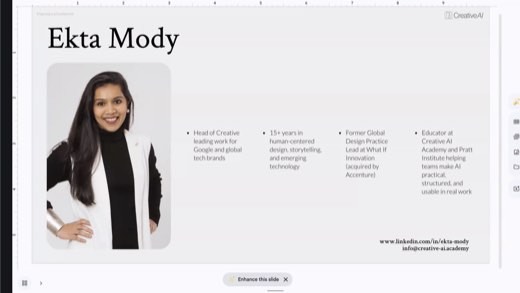
Ex-Accenture innovation practice, now teaching Creative AI
The class in brief
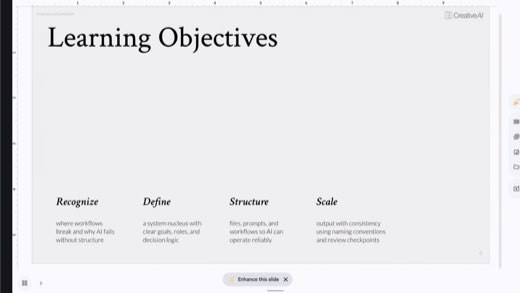
Ekta's whole night argued one shift: stop thinking in prompts, start thinking in systems. Her tool for that shift is the System Nucleus, a six-part reusable context block. After this page you will be able to do three things.
- Build a System Nucleus for one category of your own repeated work.
- Audit a real workflow for where handoffs lose context.
- Place a review checkpoint where the risk actually is.
Prompts are temporary, systems scale
Why this matters · 6:10 PM
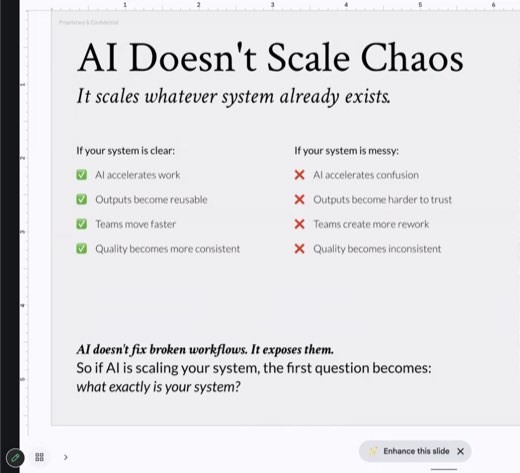
AI doesn't fix broken workflows. It exposes them.
A clear system scales cleanly. A messy one gets amplified just as fast, per . Ekta opened with four learning objectives, shown on , then made that comparison the core argument of the night.
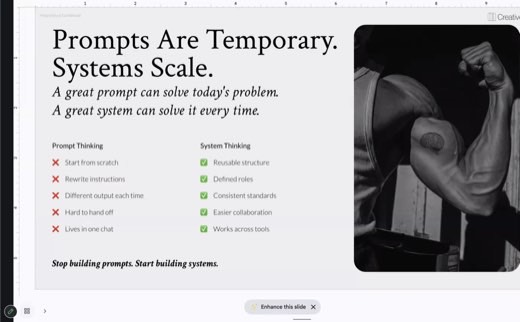
The shift underneath everything that followed: prompts are temporary, systems scale. That means reusable structures and defined roles, instead of rewriting instructions in every new chat.
The framework · 6:19 PM
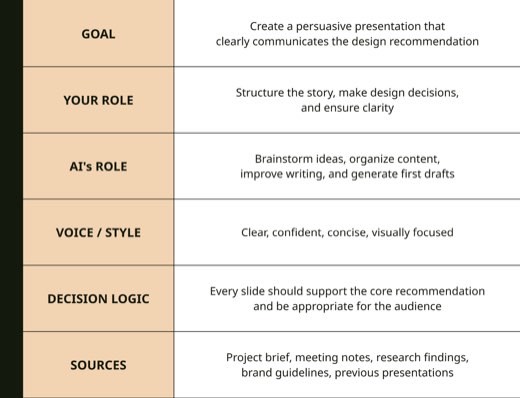
The six parts of the System Nucleus
Goalwhat you're trying to accomplish
The north star for this category of work, not this one project.
Your Rolewhat decisions you own
Names the calls that stay human before AI ever enters the loop.
AI's Rolewhat it helps with
Where the machine actually contributes, stated as plainly as your own role.
Voice / Stylehow outputs should sound
Where brand voice or personal voice lives, so it stops getting re-explained.
Decision Logicthe principles guiding calls
The reasoning a teammate, or a model, should apply when a judgment call comes up.
Sourcesreferences AI should always consider
The material that should never need re-uploading.
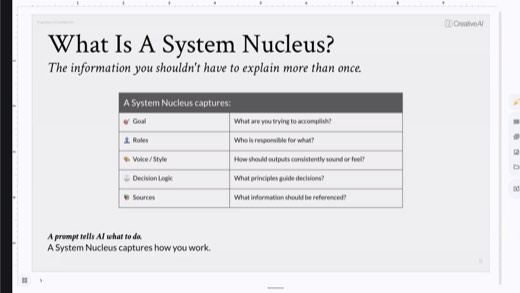
Definition to keep, from Ekta directly: "an operating system for yourself, based on which all similar types of projects can be run." Save it anywhere reusable: a Google Doc, a Claude Project, or a Gemini Gem, per .
The exercise · 6:22 PM
Build the nucleus and then find where it breaks
Pick a category of repeated work. Fill the six rows, one sentence each.
Choose a whole category, such as client presentations, rather than one project such as the Nike deck, per . Save it in a Google Doc, Notion, or a Claude, ChatGPT, or Gemini project.
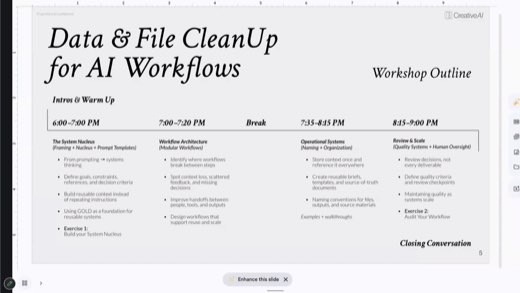
After the break, the room mapped where those same workflows actually fail.
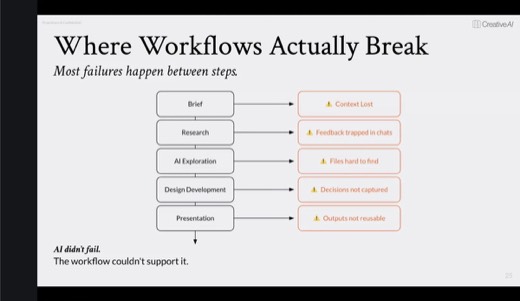
The chain that loses context
Brief, research, AI exploration, design development, presentation: Ekta built the chain step by step on screen, then named the exact failures between each link. Context lost between steps, feedback trapped in chats, files hard to find, decisions never captured, outputs that can't be reused. Her line stuck: "AI didn't fail. The workflow couldn't support it."
Data hygiene
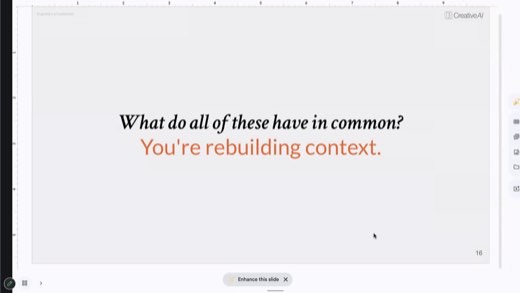
Data hygiene means being deliberate about what you feed AI, and what you don't want it to know. "Context is the most important word." Some people design their systems on purpose; most build them by accident, and accidental systems are the ones that break under AI.
One source of truth and a naming formula
The craft · 7:27 to 7:41 PM
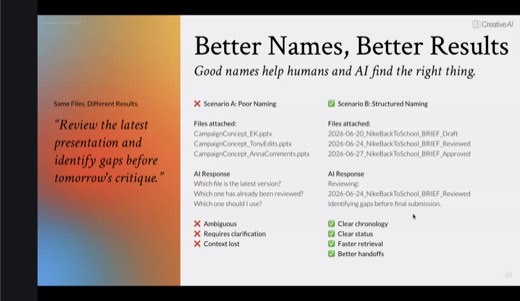
Store context once. Reference it everywhere. Name it so a machine can find it.
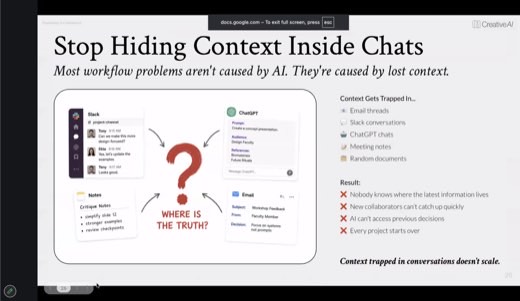
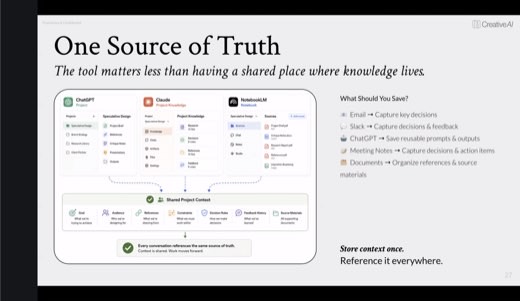
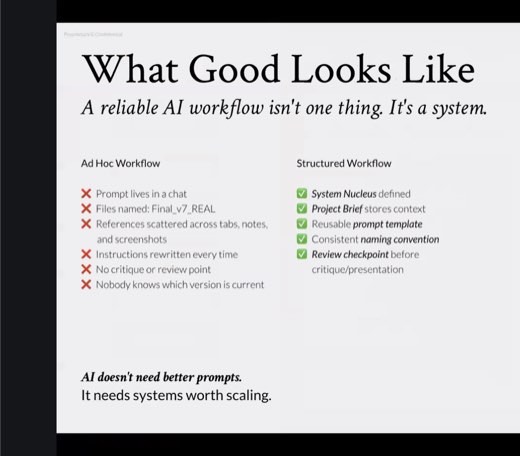
Operational Systems opened with the trap most people build without noticing: . The fix is one shared project context, whether that is a ChatGPT Project, Claude's Project Knowledge, or NotebookLM, shown on .
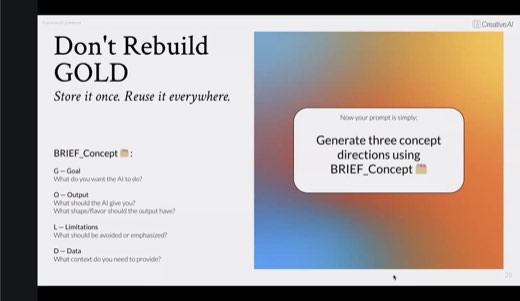
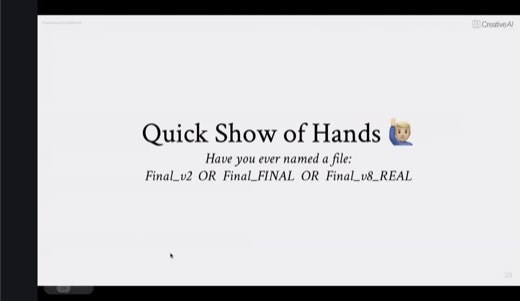
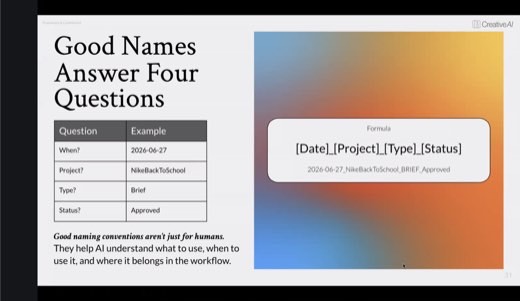
Class 4's GOLD framework (Goal, Output, Limitations, Data) got reused here as the saved project brief, so the prompt collapses to one line. Then came naming: a show of hands for who has a file called Final_v2 or Final_FINAL, followed by a four-question fix.
Review decisions, not deliverables
The judgment · 7:49 PM
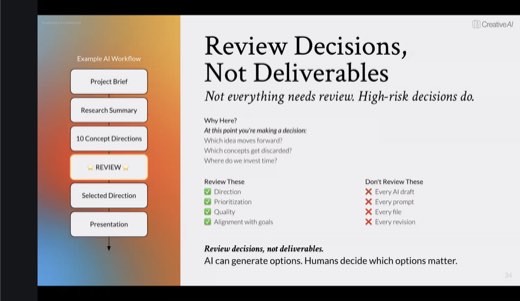
Review is important for decisions, not deliverables.
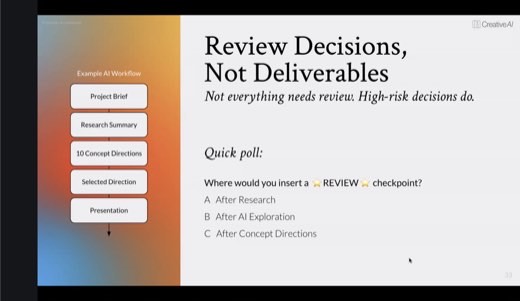
Ekta polled the room before answering : given a project brief, research summary, ten concept directions, a selected direction, and the presentation, where should one review checkpoint go?
The room's own answer was right, per : right after AI exploration, the moment you decide which ideas move forward. Review direction, prioritization, quality, and alignment there, not every draft, prompt, file, or revision downstream.
Methods and prompts
Five methods to take with you
Build a System Nucleus
Fill six one-sentence rows for one category of your repeated work, then save it somewhere reusable. This is the block you stop re-explaining.
Working prompt
Help me build a System Nucleus for [category of work, e.g. client presentations]. Ask me one question at a time for each: Goal, Your Role, AI's Role, Voice/Style, Decision Logic, Sources. Keep every answer to one sentence, then compile it into a block I can paste at the start of any related project.
You will know it worked whenit asks about each of the six fields one at a time, then hands back a single compiled block you can paste at the start of any related project.
Find where the workflow breaks
Name the weak handoff in your own process before asking AI to check your read. The point is naming the break, not getting a flattering audit.
Working prompt
Here is a workflow I run: [list the steps]. My own guess at where it breaks: [your answer, and why]. Now you check me: map the actual handoffs between these steps and tell me where context, feedback, or a decision most likely gets lost, and whether my guess was right.
You will know it worked whenit maps the actual handoffs between your steps and tells you plainly whether your own guess about where it breaks was right.
Store context once
Stop rebuilding the same brief in every new chat. Save it once as project knowledge and reference it, instead of re-pasting it.
Working prompt
Here is my full project brief, using GOLD: Goal [ ], Output [ ], Limitations [ ], Data [ ]. Save this as the reference for everything else in this project, and every time I ask for something, check it against this brief before you answer.
You will know it worked whenlater requests in the same project get checked against the brief you saved, without you having to paste it in again.
Let AI name your files
Feed the four-question naming formula in once, then let the tool name its own outputs going forward. Don't fix the backlog, just set the convention from here on.
Working prompt
From now on, name every file you generate for me using this formula: [Date]_[Project]_[Type]_[Status]. Ask me for the project and type once at the start of a session, then apply the formula automatically to every output without asking again.
You will know it worked whenevery file it generates from here on carries the date, project, type, and status formula, applied without you asking each time.
Place the review checkpoint
Decide where your own review checkpoint belongs before asking AI to check the placement. The right answer is usually right after the machine has generated the widest range of options, not after every step.
Working prompt
Here is my workflow: [list the steps]. My call on where the one review checkpoint should go, and why: [your answer]. Now you check me: does that step carry the highest risk of a wrong direction, and would moving it earlier or later change what gets caught?
You will know it worked whenit tells you plainly whether your chosen checkpoint sits at the highest-risk step, and whether moving it earlier would catch more.
Audit your workflow
The close · 7:56 PM onward
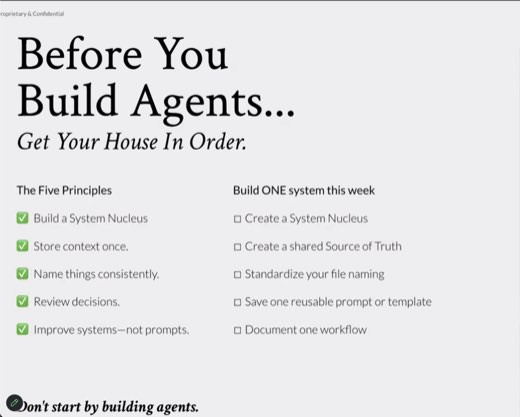
Get your house in order before you build agents
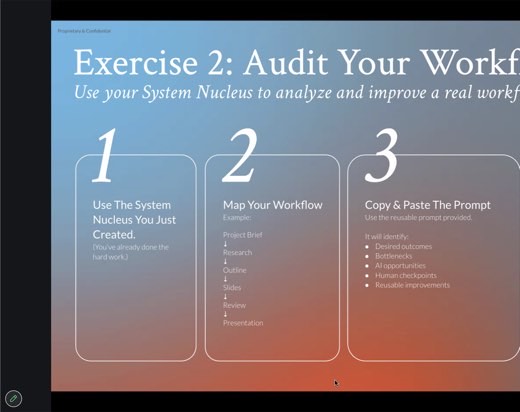
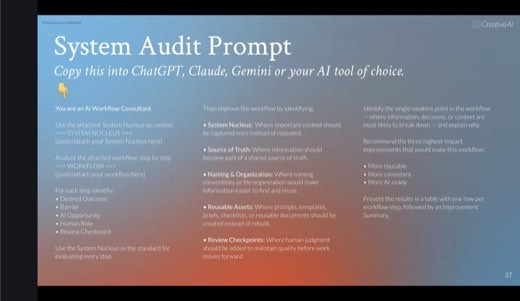
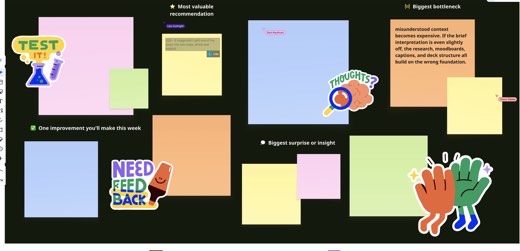
Exercise 2 turned the room's own nucleus into a test subject . Paste your nucleus and a mapped five-to-ten step workflow into a fresh chat with an "AI Workflow Consultant" audit prompt. Then get bottlenecks and weak points back as a table .
The takeaway was never the audit output itself. It was writing the fixes back into the nucleus so it improves for next time.
Ekta's closing slide named the whole night in five lines, per .
- Build a nucleus.
- Store context once.
- Name consistently.
- Review decisions.
- Improve systems, not prompts.
Next workshop was agents. Tonight was laying the foundation before agents use it.
Try this prompt
Quiz me on the six parts of the System Nucleus and Ekta's naming formula. Then give me a messy example workflow and make me place the one review checkpoint correctly.
You will know it worked whenit quizzes you on the six parts of the System Nucleus and the naming formula first, then makes you place the one review checkpoint correctly in a messy example workflow.
The shelf
Tools and references
Tools that night
Named in the room
- Figma's Config releases, reported in the AI-news opener: Weave, animation-to-code, an AI plugin builder
- Ekta's mentorship-platform list, which she offered to share
- "It's never too late to start": don't fix the backlog, set the convention going forward
Every frame from this class
26 captures, in order. Click any one to see it full size.